Wednesday, September 24, 2014

Activity 10: Transparent Language


 Well, I have to say I am impressed. I last used this when it was Byki and it seemed okay..lots of online flash cards that you could flip over and practice learning different words, phrases, etc. But this seems better, practicing the alphabet, learning each letter and then being tested until you have it down and the various parts where you listen and then practice and you can test your speech (I have to take some of this for granted because I am working at the desk so anything with sound or that requires me to speak I can't really do right now, but it looks good.)


I like the vocabulary section as it looks like there is quite a bit you can learn there and I also like that grammar is included too. Something I liked from Byki that they've kept is the turtle icon which slows things down which I think can be important at first. I like the quizzes and the practice. 
 
I think it is good there are ways to connect with others learning the language and that there is a word of the day and even study materials and online help and ways to use this on mobile devices. In fact this reminds me that I have this icon on our ipad so I think I will show this to my son who is working very hard on learning as much Russian as he can. Coolski! (That's a vocabulary word you won't get in Transparent Language-mostly 'cause it doesn't exist..but it should!) 
 

Activity 9: Catalog Tips and Tricks

Well, there was certainly a lot to this activity, but it was a good reminder and informative as well because I did pick up a few things.


One thing is extended display when you do an author search, it is good to see the titles listed along with the authors' names. This makes it easier to pick out which author record you need.

Another thing that I found interesting is the reminder that you can click only available titles and limit it to a specific location to hone in on those titles that should be available at your agency.
I have used the Book Bag features of the catalog before, especially when making lists of materials to pull for displays, class visits, etc. and it's nice that I can e-mail it to my work address and then print it out.


I'm not sure I knew about saving preferred searches or if I did I had forgotten this. I will have to remember that you seem to have to be logged in to do this which makes sense since you are saving it I do like that you can check "mark for e-mail" and then click update list and be notified if there are updates to the collection that match your search terms. This is cool.

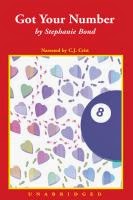
I did know about linking to records and searches..I have used this in blogs and other postings It is good to have a reminder about e-book records. There is an e-audio book record that I'm confused about. I looked up an author like-Stephanie Bond and I found a record for:

library record for Got Your Number
 
 
but when I click on this I am taken to an entry in One Click Digital but there is no way (I can see) to request it. When I login it refreshes the page and I no longer see this entry and when I try to look it up by title or author I can't find it. To which I say..wah! I don't know whether anyone actually reads my ramblings, but if they do I wouldn't mind listening to this e-audio book if we have it/could get it, etc. etc.
 
Learning about how to request issues of magazines was news to me...have to remember that to get a specific issue you click on the request button, log in, choose the pick up location, click submit and then you have a page where you can click on a bubble next to the various issues available.
 
I am supposed to tell about some tricks I use with the catalog. Can't think of any. I do like the Popular Searches as these make things easier for customers as a rule. Sometimes there are links that lead to nowhere or items that should have been cleared from the catalog but aren't or sometimes someone clicks on the wrong button and something says it has arrived, but it hasn't really..., but otherwise the catalog seems mostly good. As far as promoting it I know that staff offer training to people who ask for it or as part of answering questions when it seems appropriate. I think we may be working on some online training. Another thought is maybe posting catalog tips from time to time on the website and/or Facebook as reminders to people of what can be done in the catalog.


Sunday, September 14, 2014

Activity 8: Points of View Reference Center

I've thought this database is a good thing ever since it replaced Opposing Viewpoints


I looked up Ukraine and found an Overview and some articles but it didn't have the "Related Information" that was listed in this activity and that I found under other subjects. I then realized that there was a side article on the main page saying that Crisis in Ukraine was an upcoming topic so I suppose once it is fully done it will have these side links to magazines/journals/transcripts. I think it is good that these are there, but one does have to examine them carefully to see if they are related enough to what you or the student is trying/needs to say in his/her/your paper.

I would recommend this database to students who are researching pros and cons and/or current topics that have been in the news that they might need different opinions on. I think this database also has good information on how to write papers, evaluate resources. This could also be useful for people who are trying to get an overview of an issue and the different positions people have taken on this issue. 

I did some more exploring and under Reference Shelf (on the right hand side of the page) there is a link for charts and graphs that lists different topics it has charts and graphs under in alphabetical order and you can search it. It would be nice if there were a Charts and Graphs category under Related Resources. Also under "More" on the top of the page there is a section for images/video where you can search by topic. I think this would fit better under Related Resources. Also the videos come from Video Encyclopedia of the 20th century...what is this? I don't see any information explaining this on the website, but I did find this information when I did a google search on Video Encyclopedia of the 20th century.


Thursday, September 4, 2014

Activity 7: NoveList

I've used NoveList for a while and I find it fairly helpful when customers are looking for readalikes or suggestions for books in a certain genre. It is interesting to know that there are audiobook reviews on NoveList and listen alikes for audiobooks.

I looked at several of the Recommended Reads lists and they seemed pretty good. I also discovered that Novelist has a new feature called Keeping Up that explores different genres and includes information on the genres for people learning to look more, lists for adults, teens, older kids, info on audiobooks in the genre, fun reading maps and more!

I searched for the book "The Cowboy and the Cossack" which is one of my favorites


and it gave me several title recommendations which lead to some other recommendations and there were several that sounded interesting:


cubra libre book on cd

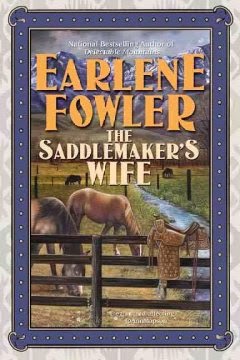
catalog record Saddlemaker's Wife
 
As for what other tools I can suggest to help people looking for good books or audiobooks I think our links under Books and Literature: Selected Websites are pretty good and I would recommend GoodReads and LibraryThing as good places to look for recommendations too.

Tuesday, August 26, 2014

Disco Tech Activity 6: One Click Digital


Blog about your challenges with OneClickDigital. What would you change about OneClickDigital? What did you like? Would you use it-why or why not?

Hi. I do like One Click Digital overall and I think it meets a demand for e-audio books which is great. I have downloaded the app to our Family Ipad and since our Ipad is currently in Russia along with my husband and son I downloaded the Media Manager to my home computer so that I could listen to an e-book while putting away clothes (because if I turn on the tv I will never get anything done, sad, but very, very true).

I haven't tried a bookmark or the timer yet so I will have to try that.

Things that have been frustrating..I recall that at one point I had trouble finding where to go to make my downloaded book play on my ipad once I opened the app. I will have to test this again once the family and Ipad are back. It is easier on my home computer because I just open the media manager.

I was just looking at the oneclick digital site on the work computer and I think the advanced search is interesting. It's nice you can search by narrator. I found a list of books reach by Barbara Rosenblatt who is one of the narrators who I would listen to read the phone book because I really like her voice and the different voices she can do. But if I wanted to search by genre I think that is a spottier search because one the books seem to be assigned genres strangely. I did a search on juvenile nonfiction and it came across a title about ancient Roman history and I think the genre listed is fiction and mystery and there is another book "A Case of Exploding Mangoes" where the genre is listed as Computers/General...hmmm..read the description..don't think that this is what the book is Really about...
 
But I have had fun listening to books both on the Ipad and home computer. My son and I found a Russian language learning book that we listened to for a while.


And I just finished listening to a Joanna Fluke mystery and it was interesting because there are recipes at the end and I realized that the narrator was going to read all the recipes as part of the e audio book and I guess that is as it should be since you should get the experience of the whole book, but I can't say I've listened to a recipe before.


 I saw a kids book where it talked about it having the appeal of the Origami Yoda books because of the diary entries and quirky doodles or something of that nature and I am curious to try this book at some point, because how do you express quirky doodles in an audio format..I just don't know.


Two things: One is that when you look at the books you check out it says that if you want to renew, just click the renew button next to the title and I think that must be an option we don't allow in SPPL, right? 'Cause I don't see the option to renew.
 
The other thing is that the Advanced Search as odd as it might be at times shows me that there are many more titles than is apparent from just looking at the featured titles. Also if you go in the list of checked out books there is a tab for recommend a title where you can recommend a e audio book you think the library should have so that's cool. 
 

Sunday, August 10, 2014

Disco Tech Activity 5: Freegal

Freegal is another one that I created an account for back when we first got it. I haven't used it a ton, although I do have a few songs that I've downloaded. It didn't seem too hard to create an account, what I find frustrating/interesting about Freegal is that when I search for things for example: Frozen (soundtrack) I don't find it. It seems hit or miss what is/isn't on Freegal. I wish I were more into top music, maybe then I would find what I was looking for...I feel like I find more on Spotify.  However, that being said, there are some interesting things on Freegal. Under genres there is an Educational category and there are albums of voice lessons, speeches, albums in French, learning state capitols. Under spoken word you can find abridged Ernest Hemingway stories in Spanish. There is an album of oldest recorded voices that has two tracks on it one of Andrew Carnegie and one of Thomas Edison. I will have to try videos..I haven't had too much interest in doing that, but I will have to give it a try. I haven't had people ask me for help with Freegal, although I do recall mentioning it to someone who was looking for a place to download free music.

Something else, at least when I am searching from the library computer, will have to try on Ipad at home, but I think I experienced something similar, is that I can't seem to enter anything in the search button at the top. So I click search and of course it doesn't find anything because I didn't enter a search term, but it does bring up another search bubble to refine my search and usually I can type a term/terms in this bubble.


DiscoTech Activity 4: Zinnio

Way back when we first got Zinnio I did set up the accounts..I seem to hazily recall some confusion between switching from the library page to the Zinnio page and back, but may this was in an earlier iteration or it only happens initially. I tried checking out some magazines today and it seemed like a fairly smooth process. We don't seem to get a ton of calls regarding Zinnio so I don't know if this means not a lot of people are using it or people are using it and finding it easy to use. We do get calls about e-books and One Click Digital and this is usually people who have something that is confusing them.

In any case, back to Zinnio. I wish they could come up with a way to not have 2 accounts. I get that there is the library page for limiting the choice to what the library subscribes to and the Zinnio page allows one to read, but it seems like there should be a way to do this without two accounts. Although once I have this set up, I don't really notice the two accounts thing, but it does seem better not to frustrate users in early stages (or at any point in the process.)

Zinnio does load magazines quickly and they are easy to move about with the viewer. I am confused about the search feature as I couldn't get it to "find" anything. In the National Geographic Travel magazine it couldn't find the word "geographic" nor other words in titles of articles. I searched other magazines for words that were in titles or clearly mentioned in the articles or captions, and nothing, nothing, nothing..so what does "search" do?

It is very nice to have access to a number of magazines, esp ones that are pricey like the Economist. I wish there were more children's magazines and I thought I had seen a short story mystery magazine-Ellery Queen, but maybe I was looking at the overall Zinnio site and not our library Zinnio site, still there is a pretty good and seemingly growing selection.

If you don't have access to a computer/phone/reader, than this isn't much of a help, but for people who do have access to technology it is a nice resource.